
How to get year-end reports done in one hour
Cocentives automates your year end reports. Calculating, checking, and generating an interactive Year End experience for agents. Here is how fast you can get it done:
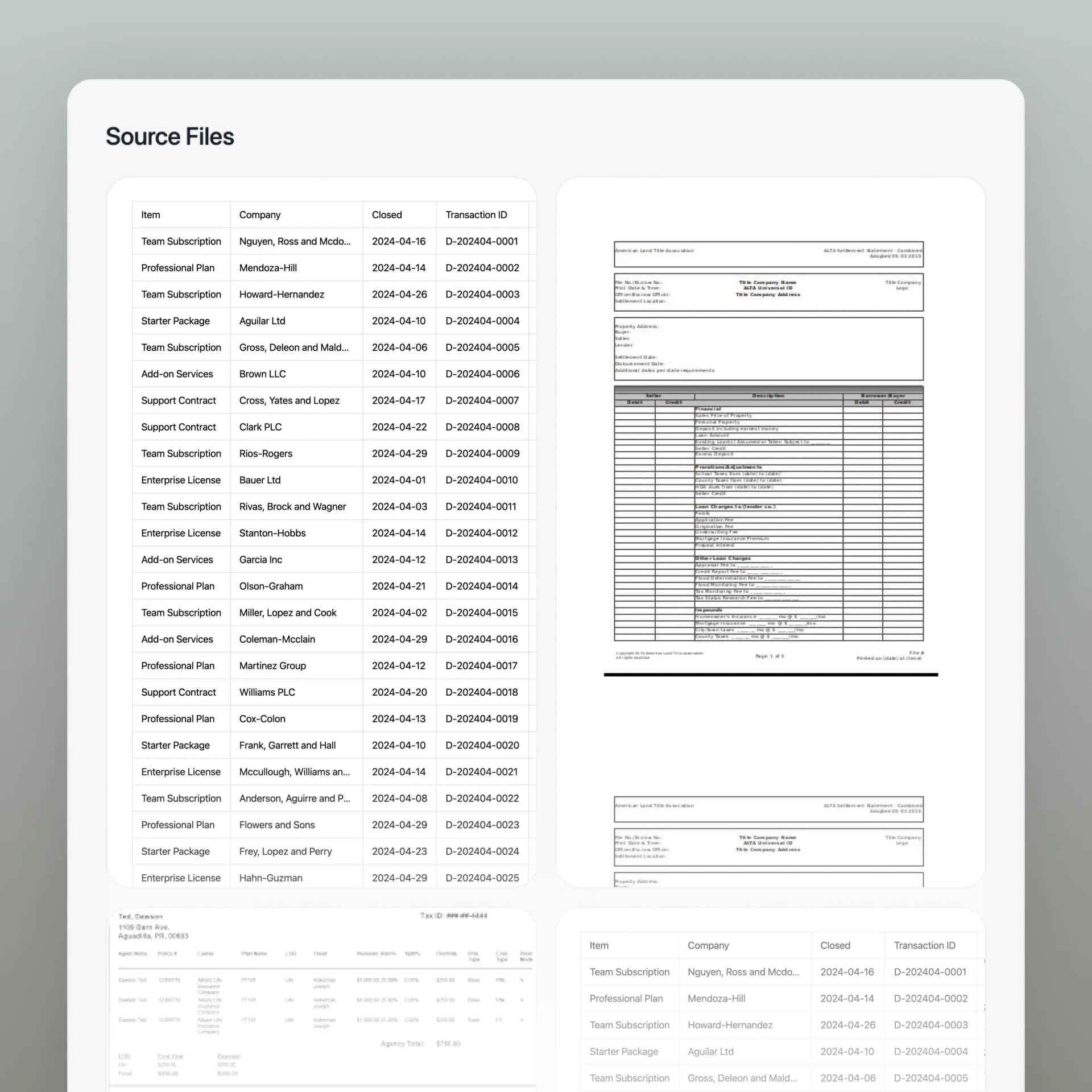
Directly Upload Agent Reports
Open the Cocentives app and navigate to the "Upload Reports" section. Here, you can directly upload agent reports in bulk, ensuring accurate and efficient data processing. You can skip doing the manual calculations and validation steps, saving you time and effort.
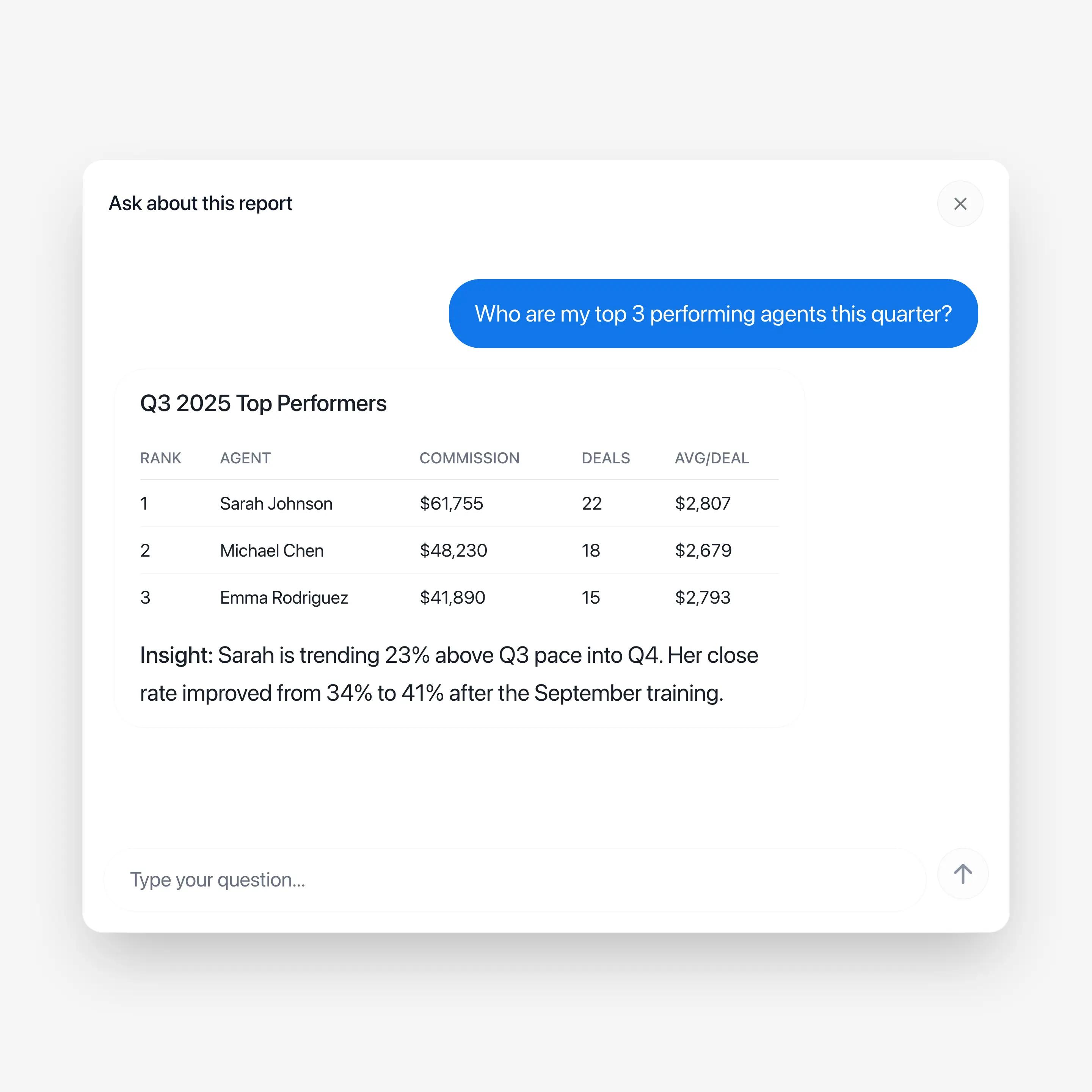
Checking the sales is as easy as asking Co
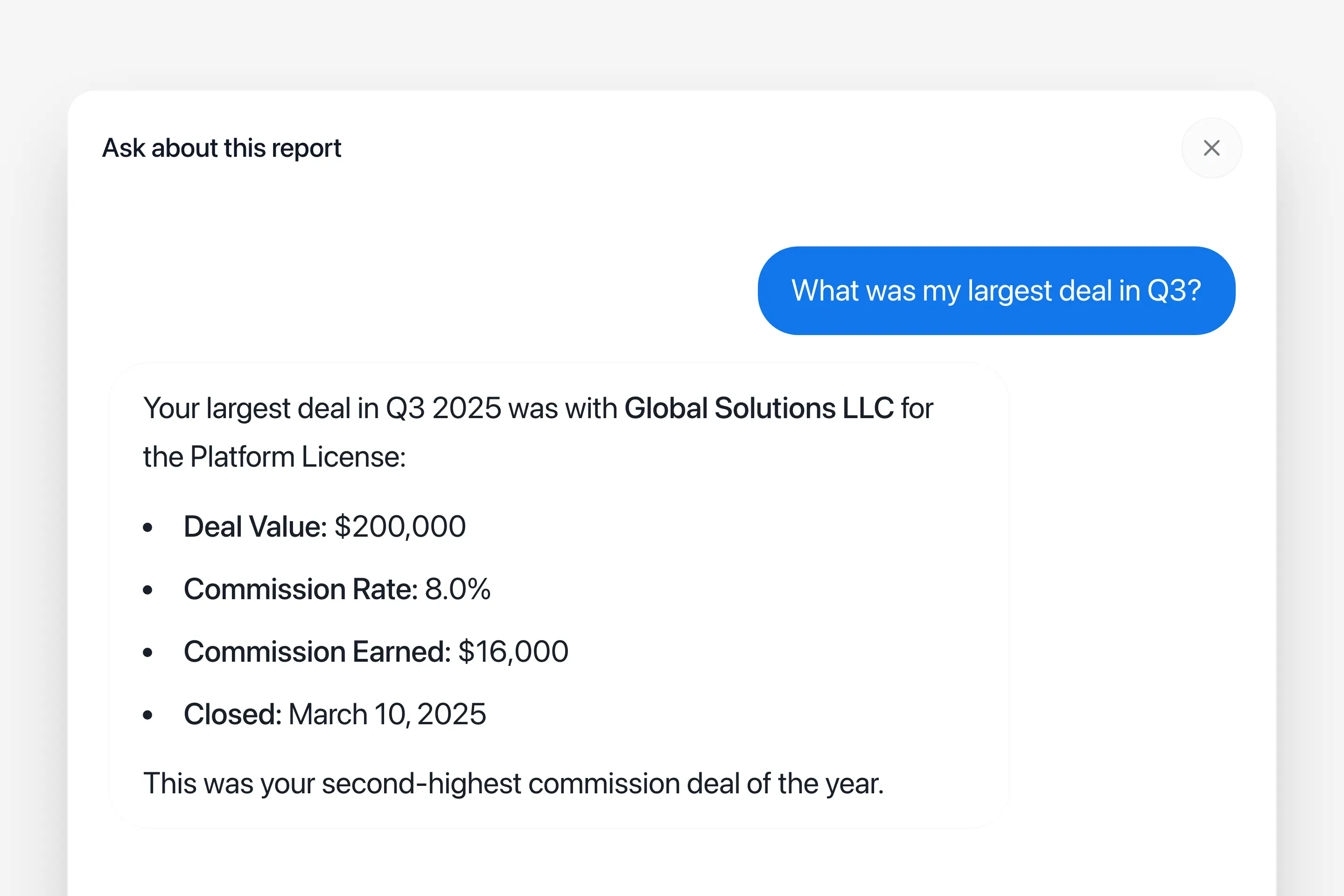
We built "Ask Co" because once a run is processed with Cocentives there is a lot of valuable information stored. Because of the high processing quality of Cocentives we have prepared an answer machine that can instantly answer any question about the sales data. And, with Co you can instantly ask all of this information any question.
This is helpful for any leader short on time, preparing a question is simple, and it is as simple to get it answered by Co. For example, you can ask about the status of a deal, or instantly generate statistics for the year. With Cocentives you use your time more intelligently because you let the computers to the work for you. Simply click on "Ask Co", and get an answer instantly to your question.
A new way to Present Professional Reports
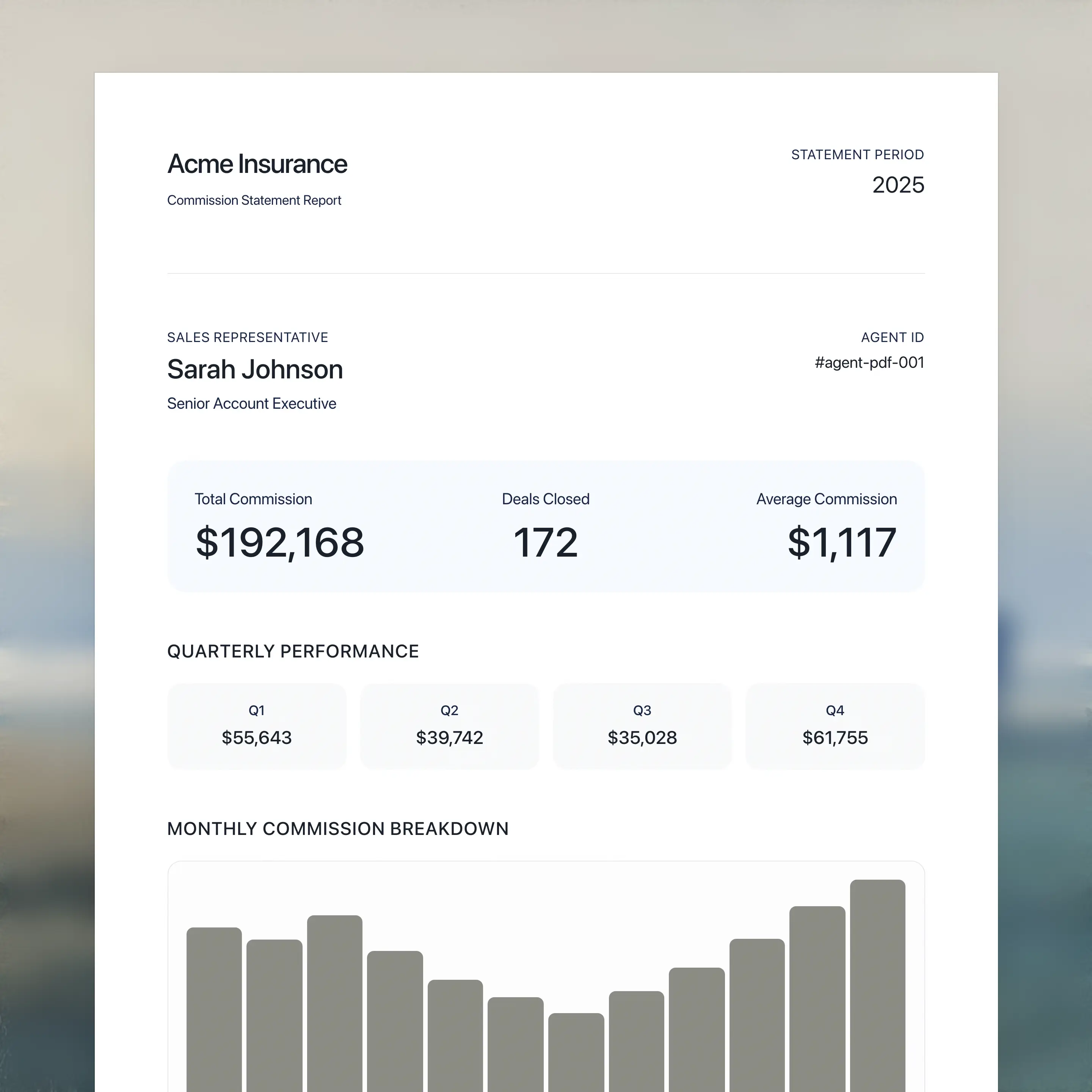
"Ask Co" for agents creates the next generation of professional reports in one hour to every agent. Replacing the traditional, static, year-end reports with a dynamic and interactive experience for agents.
Reports in One Hour to Every Agent
A professional presentation of the year's performance, including key metrics, trends, and insights, delivered in one hour to every agent. Increasing the agent's engagement and satisfaction. With Cocentives your agency looks professional and modern. Preview a sample report to see how it looks.
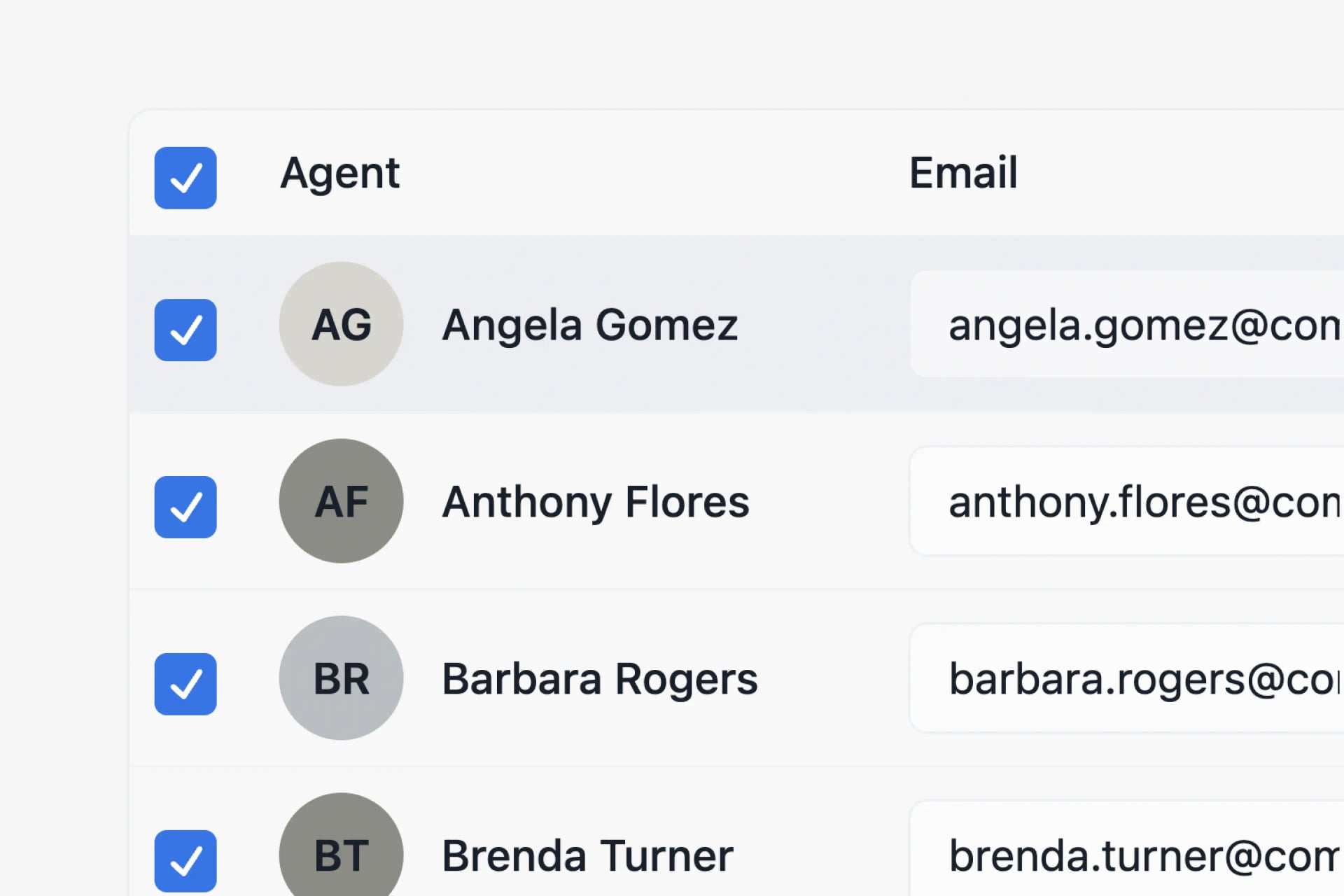
Approve Agents, Send the reports
Once you have reviewed the run and you are ready to send, you can do so with fewer than three clicks. The Cocentives review flow is simple, you can open up all identified agents, check the specifics, hit approve. Then once you have reviewed all the agents click "Send Reports". Cocentives will take care of the rest, sending every agent their email, with a PDF and the interactive Magic Link. You can also export statements as Excel files for agents who prefer spreadsheets or need to import into Google Sheets. Your approvals are automatically stored, making it easy to pick up the work later if needed, or complete by sending the reports immediately.